

TRISTRA
Asset exposure and intelligence.
TRISTRA turns osquery software inventory, read directly from Elasticsearch or Splunk or supplied as CSV and JSON files, into evidence-based vulnerability findings: which CVEs affect which host, whether a fix, mitigation or vendor statement applies, what is known to be exploited, and which single update closes the most.
What it does
Matches software to vulnerabilities with its own engine, using NVD, OSV, Microsoft and vendor data and the distributions' own advisories (Ubuntu, Debian, RHEL, Rocky, AlmaLinux). It uses no fuzzy matching, and every finding shows the evidence behind it.
Recognises installed patches. Configuration mitigations are verified from osquery facts; a manually recorded mitigation counts only after a second person has reviewed it.
Builds a remediation plan ordered by what each change clears, with CISA KEV and EPSS context.
Exports a PDF summary, CSV and JSON, and CycloneDX SBOMs per host.
Sends results to Elasticsearch and Kibana, Splunk, TIDE and OpenCTI, or to a results folder or HTTPS endpoint, when configured.
Runs fully offline, including on air-gapped networks, with no third-party scanner.
Requirements
Linux x86_64 with Docker Engine and Docker Compose 2.24 or newer. Docker Desktop on Windows or macOS (with an amd64 Linux VM) is for evaluation only.
Tristra Community
Tristra Community is free to use and licensed under the TRISTRA Free Edition Licence version 4.6. It includes up to ten active projects (archived projects don't count, and there is no host limit), complete assessment, the current remediation plan, basic exports and a PDF summary, manual threat-intelligence imports, and 30-day history views.
The licence is accepted during setup, on behalf of your organisation; nothing is sent to us. Read the licence.
Screenshots
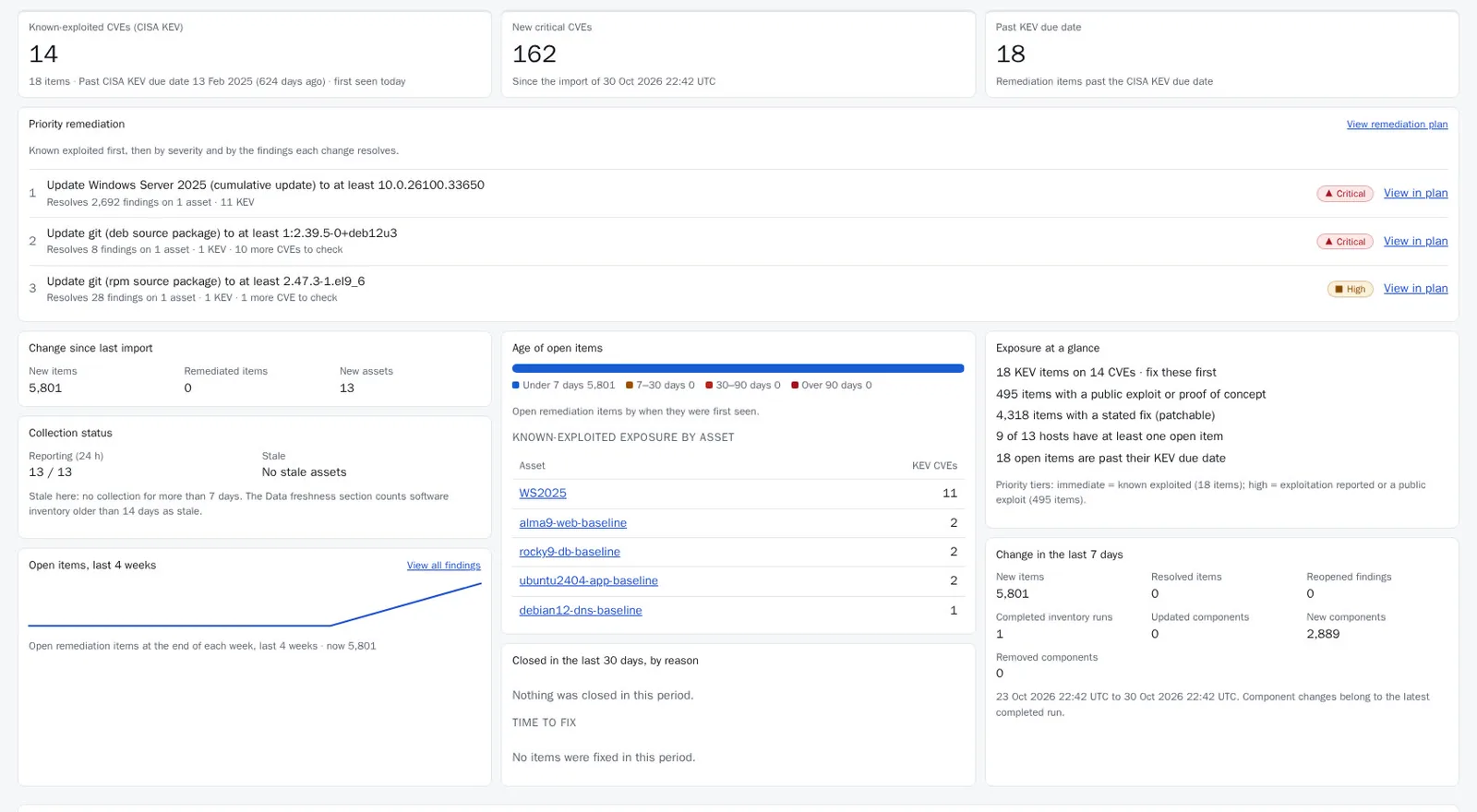
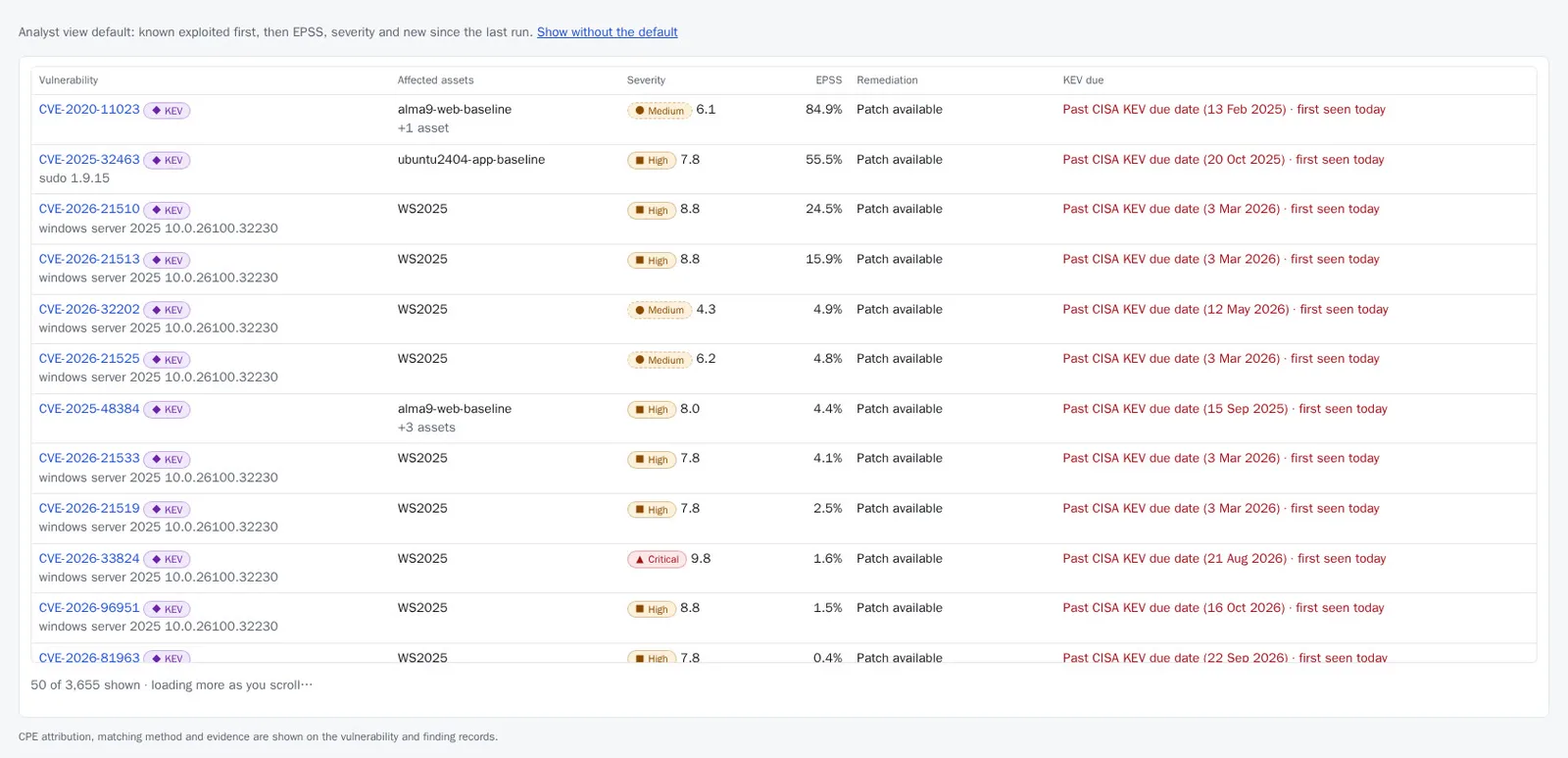
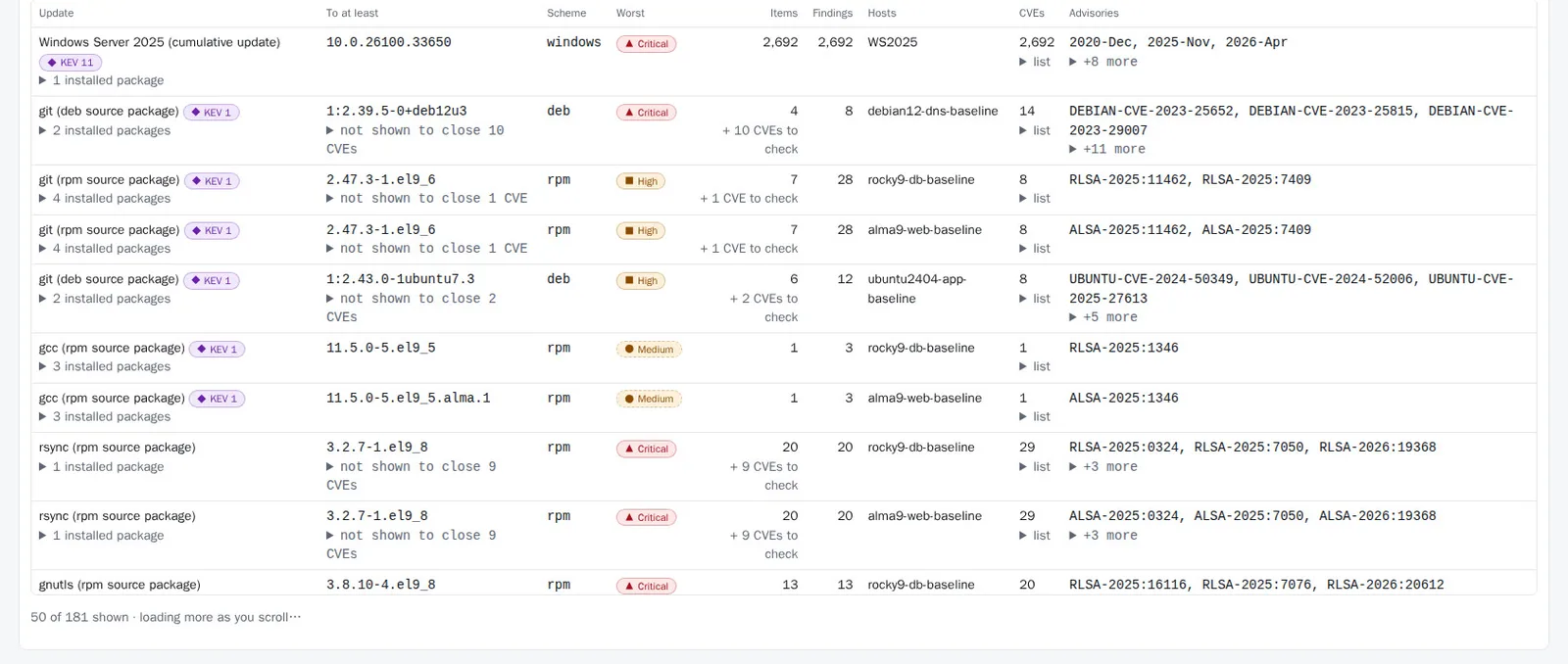
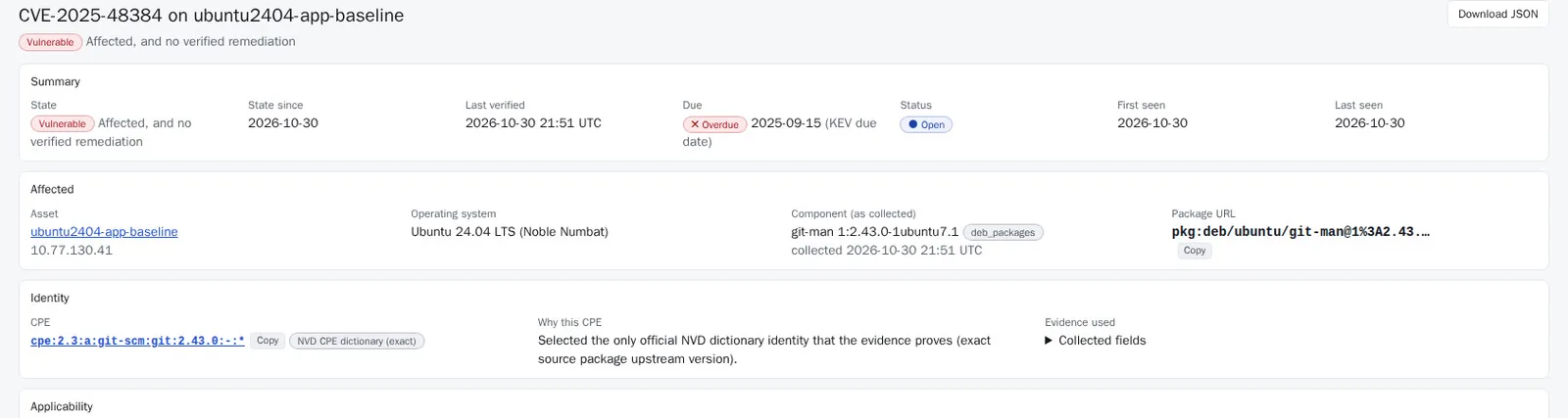
Screenshots from a demo estate.
Download
One download for connected and offline servers. On a connected server, choose Internet connected during setup and the security data downloads automatically. For an offline server, follow DEPLOYMENT.md, Offline installation.
Get Tristra Community
Enter your details and we'll email you a download link.
Verify your download
Every release file is signed. Check the files before installing. The commands below use OpenSSL and run on Linux.
1. Get the public key
Download the release-signing public key. It is published here, separately from the download, so you can check one against the other. Its SHA-256 fingerprint is:
0403fca8919db7c083081038d04f9daab9c42ba7e71597a519e94cb1d8953bc4This command should print the same fingerprint:
openssl pkey -pubin -in tristra-v0.5.1.release-signing.pub -outform DER | sha256sumThen download the checksum and signature files into the same folder as your download:
- tristra-v0.5.1-bundle.tar.sha256
- tristra-v0.5.1-customer-docs.zip.sig
- tristra-v0.5.1-customer-docs.manifest.json and its signature
- tristra-v0.5.1-customer-docs.SHA256SUMS
2. Documents archive
openssl dgst -sha256 -verify tristra-v0.5.1.release-signing.pub -signature tristra-v0.5.1-customer-docs.zip.sig tristra-v0.5.1-customer-docs.zip3. Bundle
Check the download, unpack it and verify the signed manifest:
sha256sum -c tristra-v0.5.1-bundle.tar.sha256
tar -xf tristra-v0.5.1-bundle.tar
openssl dgst -sha256 -verify tristra-v0.5.1.release-signing.pub -signature tristra-0.5.1/bundle.manifest.sig tristra-0.5.1/bundle.manifest.json
The checksum only shows the download is not damaged. The signature check, using the key you obtained separately, shows the files came from Pike & Quill. On Windows, compare the output of Get-FileHash tristra-v0.5.1-bundle.tar -Algorithm SHA256 with the value in the .sha256 file.
For an offline server, copy the public key to it separately from the bundle, never on the same transfer media (for example to /etc/tristra-release-signing.pub); the installer is given it with --trusted-public-key. Then follow DEPLOYMENT.md, Offline installation, in the unpacked tristra-0.5.1 folder. The installer re-checks every file against the manifest.